
Know where your business stands, without the spreadsheet.
Connect your bank accounts and credit cards once. Your dashboard shows your cash position, spending, and budget from your own accounts, with no spreadsheets to build or update.
Available to Ironclad clients by invitation.
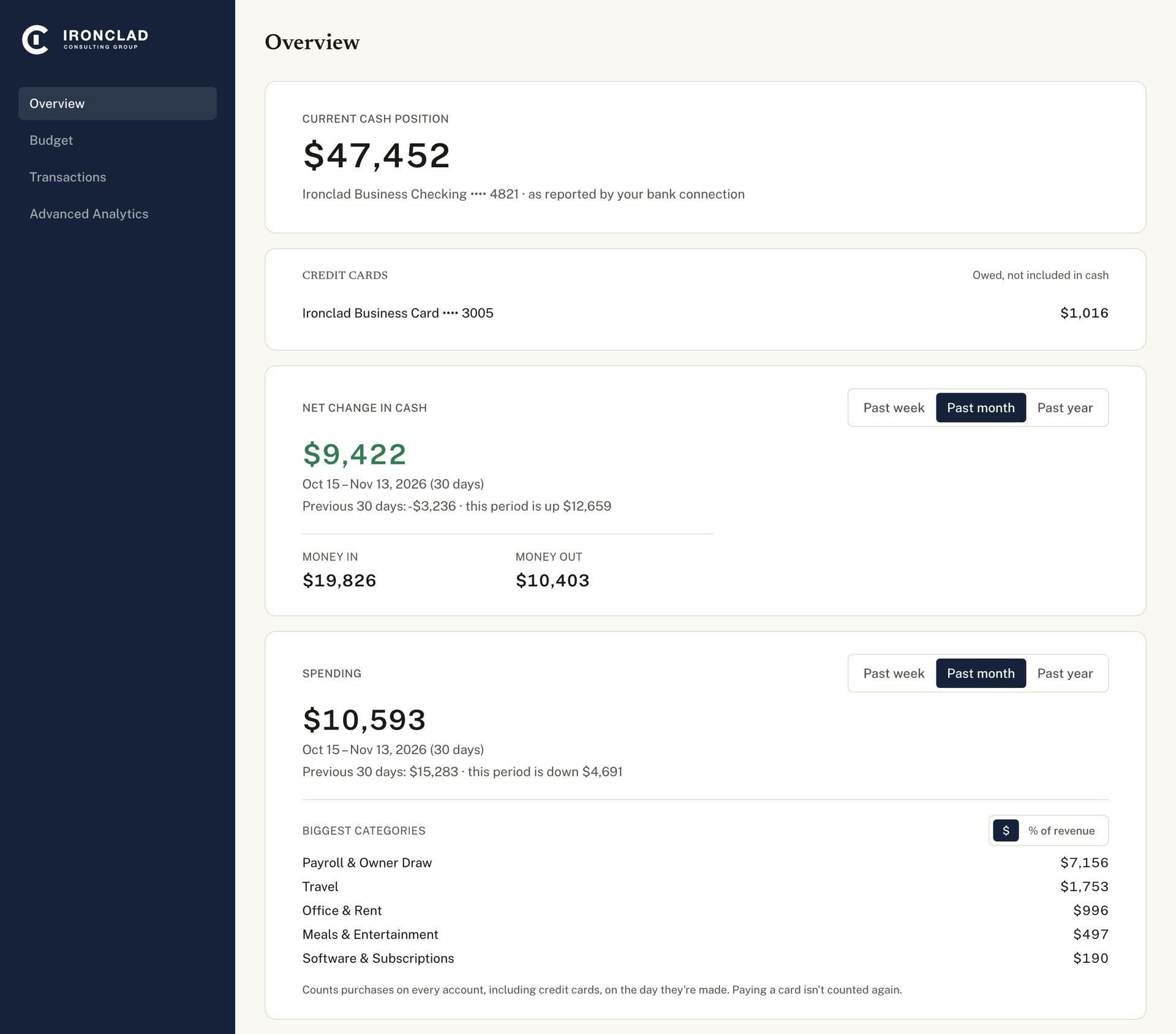
The numbers that matter, in one place
Built to answer the questions owners actually ask: where do we stand, where is the money going, and what's coming up.
Cash position
Your balance across your connected checking and savings accounts, and how much your cash moved over the past week, month, or year.
Spending by category
Where the money went across your bank accounts and credit cards. A purchase counts the day it's made, and paying off a card isn't counted a second time.
Credit cards
Connect your business credit cards to see what you owe on each one, kept separate from your cash.
Budget tracking
Set a monthly budget for the categories you care about and see your spending against it as the month goes.
Every transaction
All the activity from your connected accounts in one searchable list. You choose the categories and can add your own. If an account can't connect, you can import its statements.
QuickBooks insights
Connect QuickBooks Online to add profit, what customers owe you, bills coming due, a 30-day cash projection, and your expenses as a share of revenue.
Up and running in three steps
- Step 1
Connect your accounts
Choose your bank or card issuer and sign in on its own secure screen. You can also connect QuickBooks Online.
- Step 2
See your key numbers
Your dashboard fills in from the accounts you connected. Check it any time, on a computer or a phone.
- Step 3
Work with us, if you want to
Our consultants can see your dashboard only while you allow it. Access starts switched off, and you can change it at any time.
Built to keep your connection private
No system is perfectly secure, but we take reasonable steps to protect your information and to limit who can reach it.
Read our Privacy Policy- You sign in at your bank's own secure screen. Ironclad never sees or stores your bank username or password.
- Every sign-in needs your password and a one-time code from an authenticator app.
- Each company can see only its own data.
- Our consultants can see your data only while you allow it. Access starts switched off for every new client.
- Your information is encrypted in transit and at rest.
- You can disconnect any account yourself at any time, which ends access and deletes the data imported from it.
Want to see it with your own business in mind?
Request a demo and we'll get in touch to walk you through the dashboard.